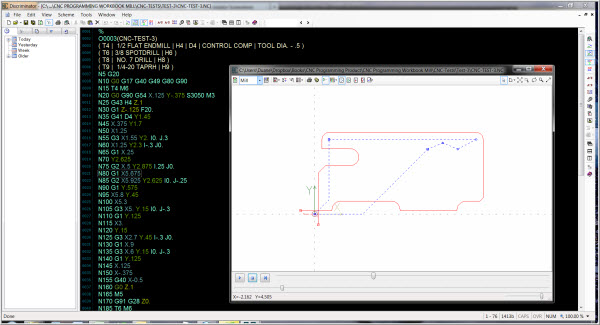
- Multi-font syntax highlighting.
- Faster color processing algorithm for large files (100,000 lines or more).
- Independant line number gutter.
- Zoom font size
- Much faster processing of gcode for graphics output.
- Multiple graphics viewports.
- Bidirectional selection (picking)!
- Select graphics to locate gcode.
- Select gcode to highlight graphics.
- Graphics tool filter.
- Dynamic graphics view manipulation.
- Graphical element motion direction indicator
- Multi-level undo/redo.
- Configurable main and user toolbar
- Add/remove spaces
- Multi-step gcode mathematical operations.
- Advanced sequence number resequencing.
- Advanced printing!
Multi-column, preview, header/footer, watermark.
- New CodeBar provides access to snippets, bookmarks and the new CodeNavigator.
- CodeNavigator provides a customizable code navigation tree.
- Machine run time estimations.
- File reloading while maintaining cursor and scroll position.
- QuickFolders for quick access to favorite folders.
- History forlers for opening recently opened files.
- User-definable shortcut keys.
- Basic serial communication program. (Available upon request)
- PlugIn framework for writing custom features.
- Debug and create output from Fanuc style macro-b

|
"Formatting the CNC file for the programmer is great but what about the machinist?
With Discriminator you can print with enhanced formatting to improve readability for the machinist.
This improved overall readability can reduce the number of defective parts produced.
|